Viewer Ask — First Steps (5 minutes, no experience needed)
← Back to the BIM Viewer guide · Home
One small job, start to finish: open a building, ask four questions, save the answers, hand them to your own AI. Use a desktop browser (Chrome or Edge). Every step below was run by a script against the live site and the numbers quoted are what the app itself reported.
Step 1 — Open Terminal
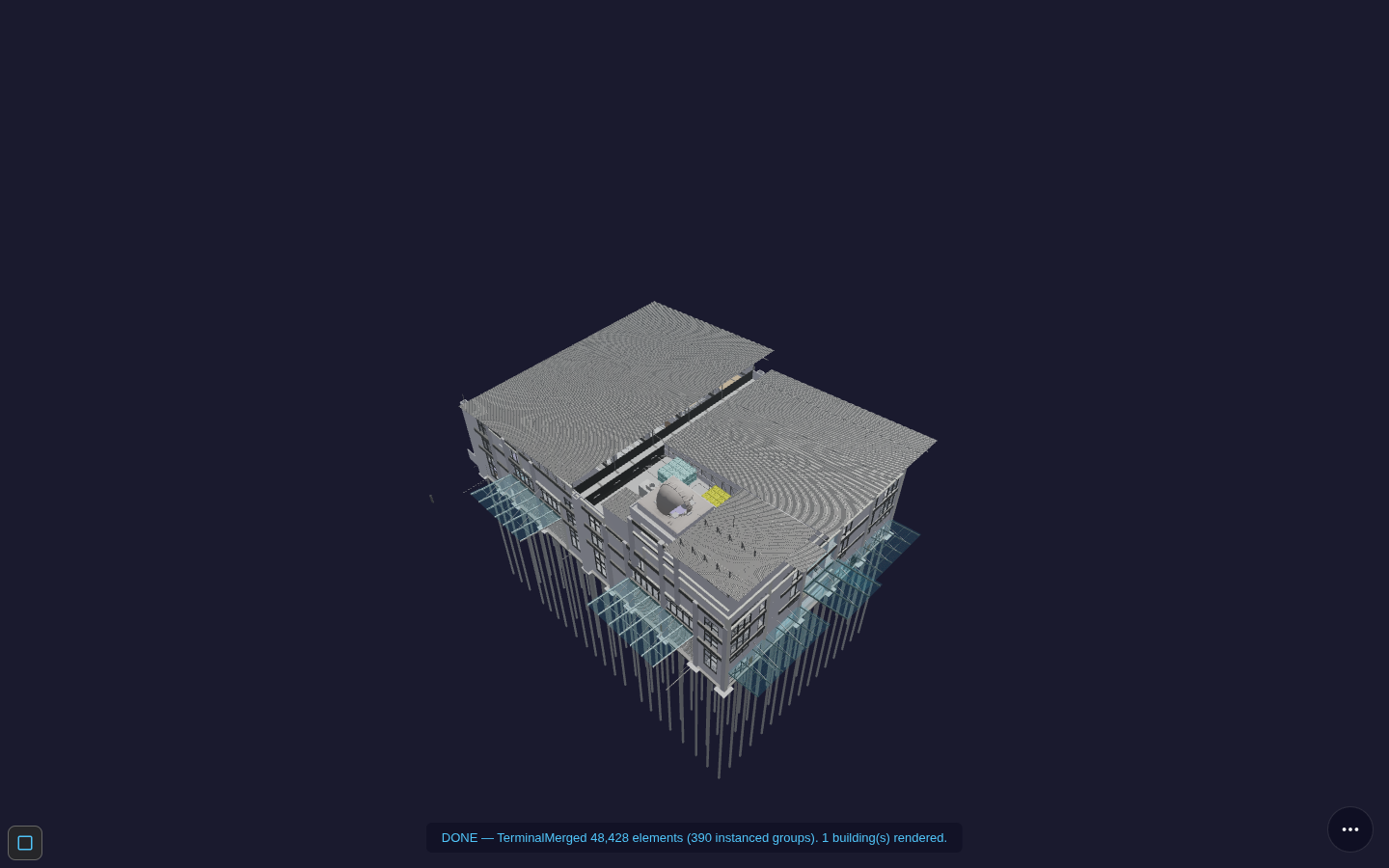
Go to the front door, choose Buildings / IFC, and click
Terminal. Wait until the status line reads DONE — TerminalMerged 48,428 elements.
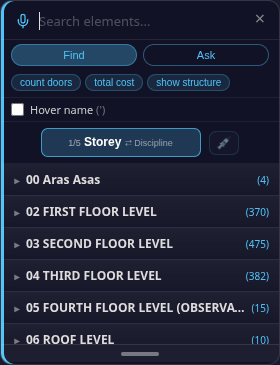
Step 2 — Press F
The Find panel opens on the right.
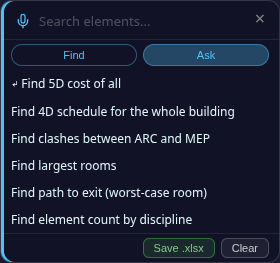
Step 3 — Click Ask
A list of questions appears. Greyed lines are not available for that building.
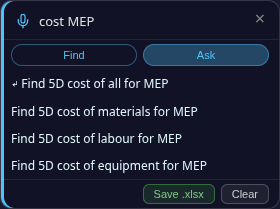
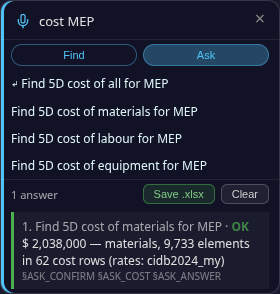
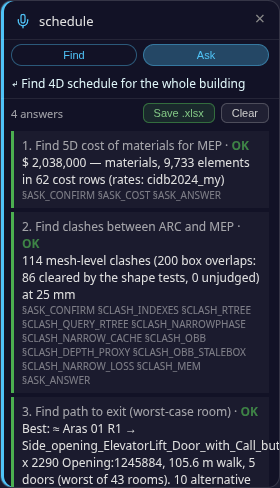
Step 4 — Type cost MEP, click Find 5D cost of materials for MEP
The list narrows to four cost lines (all, materials, labour, equipment). Click materials. An answer card appears: 2,038,000 — materials, 9,733 elements in 62 cost rows.
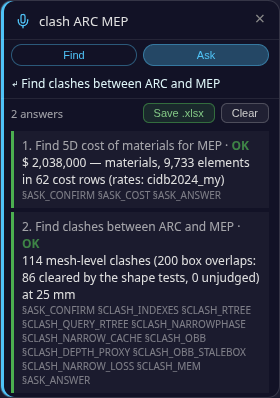
Step 5 — Type clash ARC MEP, click the line
A second card: 114 mesh-level clashes (200 box overlaps: 86 cleared by the shape tests).
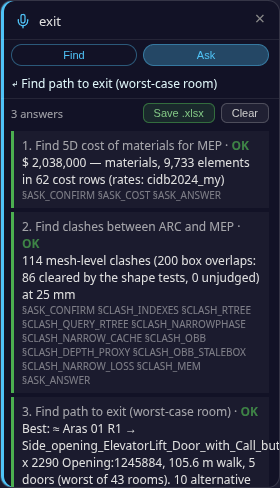
Step 6 — Type exit, click Find path to exit (worst-case room)
A third card: the best route (105.6 m walk, 5 doors) and 10 alternative exits.
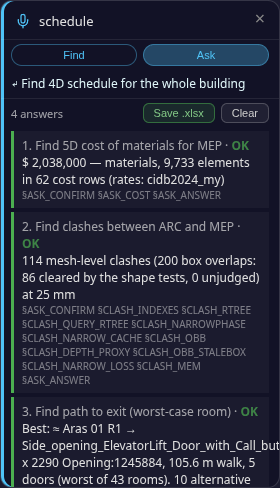
Step 7 — Type schedule, click Find 4D schedule for the whole building
Wait for it. A fourth card: 48,428 elements, 122 days, 9 trades, labour cost 1,721,750.
Step 8 — Click Save .xlsx
One file downloads (BIM_OOTB_TerminalMerged_Answers_….xlsx, about 30 KB), one row per answer.
Step 9 — Give the file to your own AI
Attach the file to ChatGPT, Claude, Gemini, or any AI you use, and paste the prompt from the file's first rows: "Answer only from this workbook. For every number you state, cite the Evidence tag and the Engine column of the row it came from. If a row says INCONCLUSIVE, say the data is missing — do not estimate."
That is the whole loop: open → Ask → pick a line → Save → your AI. Everything else is in the BIM Viewer guide.